
Digital signage animation can catch attention, but movement alone does not make a message more effective. A screen that constantly spins, flashes or changes direction may distract people from the information they need. The best motion design starts with the business goal, the viewing distance and the time someone has to notice the display.
Whether you are planning a retail promotion, hospitality menu, reception display or corporate information screen, use animation deliberately. This guide explains where motion adds value, where static content works better and how to brief a designer or installer.
Decide what the screen needs people to do
Before choosing transitions or video clips, write one sentence describing the intended action. Should visitors find a reception desk, compare a menu option, notice an offer or remember an upcoming event?
Then identify the most important information. A moving background must not compete with a price, direction, opening time or call to action. If viewers need to read several lines, a stable layout is usually easier to follow.
Use motion to guide attention, not demand it
Subtle movement can help introduce a headline, reveal a product photograph or signal that a message has changed. A short fade, slide or gentle zoom often works better than several effects happening at once.
- Animate one main element at a time.
- Keep essential information visible long enough to read comfortably.
- Use consistent transitions so viewers learn what to expect.
- Avoid rapidly flashing, strobing or aggressively pulsing effects.
- Check that movement does not obscure prices, instructions or important details.
There is no universal animation speed that suits every display. A screen beside a queue, a screen above a counter and a window display seen by passers-by each have different viewing conditions.
Match the animation to the screen location
Retail window displays
People walking past may have only a brief opportunity to see the message. Use a clear visual, a short headline and one obvious next step. If the animation begins with a long introduction, the passer-by may never see the main offer.
Digital menu boards
Customers need to compare items and prices. Motion can highlight a featured dish or introduce a promotion, but the core menu should remain readable. Avoid moving prices while people are trying to order.
Reception and waiting areas
Visitors may spend longer looking at the screen. A sequence of service information, directions and useful announcements can work well, provided each slide is understandable on its own.
Corporate and staff communications
Motion can separate updates or draw attention to a changed notice. However, staff should not need to wait through a long loop to find a safety instruction, room number or essential operational message.
Build a loop that still works when viewed halfway through
Digital signage audiences rarely watch from the beginning. Someone may enter the room midway through a sequence or look up for only a few seconds. Every key slide should therefore make sense without the previous one.
Put the primary message on screen promptly, use familiar visual hierarchy and repeat important calls to action appropriately. A loop can include variety without becoming a miniature advert that requires full attention from start to finish.
For a wider approach to what should appear on a display, read our digital signage content planning guide and content scheduling advice.
Design for readability and accessibility
Text that looks clear on a laptop may be difficult to read on a screen mounted high above a counter or viewed through a window. Test the actual display size, viewing angle, contrast and lighting.
- Use large, straightforward typography with strong contrast.
- Keep text concise and avoid crowding the screen.
- Do not rely on colour or movement alone to convey essential meaning.
- Provide a stable version of important information when possible.
- Consider viewers who are sensitive to motion or flashing effects.
Our digital signage accessibility guide explains additional design considerations, while the screen placement guide covers practical positioning.
Prepare the right files and playback setup
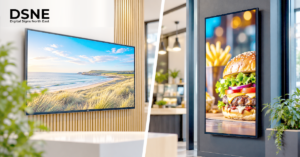
Before production, confirm the display orientation, pixel dimensions, supported file formats and how content will be played. A portrait screen needs artwork composed for portrait viewing, not a landscape video squeezed into a narrow frame.
Check whether the media player or signage software supports the intended transitions and whether audio will be useful or disruptive in the location. Plan how staff will replace out-of-date promotions and check that the display recovers sensibly after a restart.
For further preparation, see our landscape versus portrait signage guide and connectivity planning checklist.
Review the content in the real environment
A final review should happen on the actual screen or a close equivalent, not just on a designer’s monitor. Stand where customers or visitors normally stand. Check the first impression, reading time, reflections, glare and whether the key message remains clear when the animation is paused.
Ask whether each movement serves a purpose. If removing an effect makes the message easier to understand, the simpler version may be stronger.
Planning with Digital Signs North East
Digital Signs North East supplies commercial-grade LCD and LED digital signage, including digital menu boards, advertising displays and touch screens. Its range serves settings such as retail, restaurants, hotels and corporate environments. A free site survey is available to discuss the display requirements for your location.
Plan a digital signage display that works for your business
Good digital signage combines suitable hardware, thoughtful placement and content designed for its audience. If you are planning new commercial screens or reviewing existing content in the North East, contact Digital Signs North East to discuss your display requirements and how your messages will be presented.