

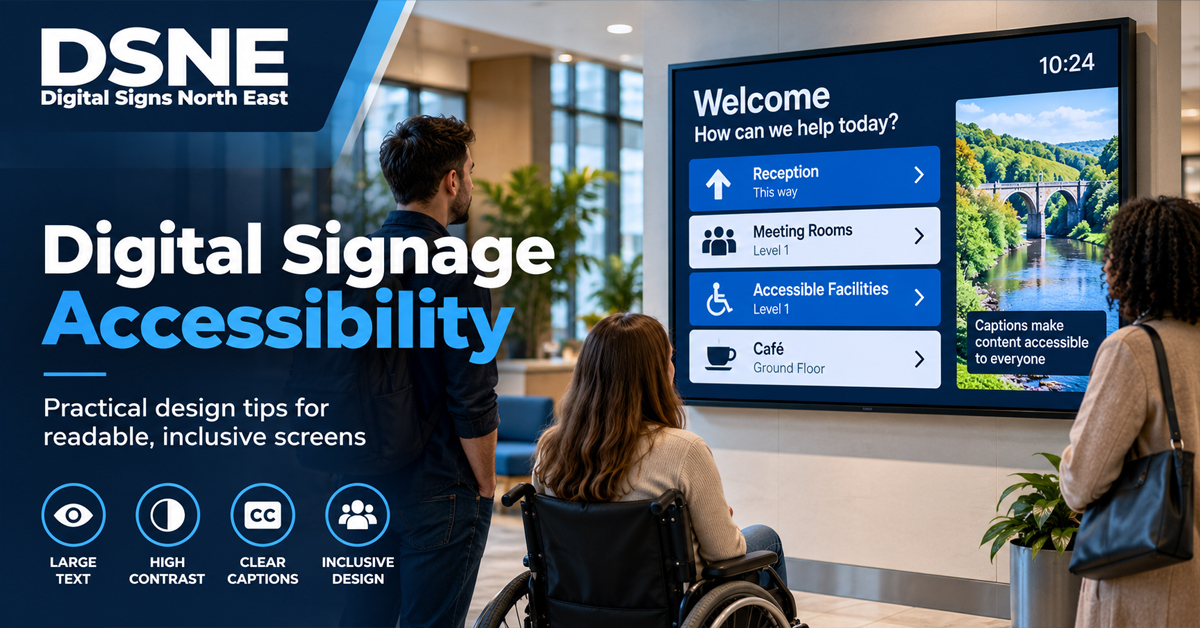
Digital signage has to do more than look impressive. If important information is difficult to read, positioned outside a comfortable viewing area or delivered only through sound, part of the audience may struggle to use it.
Accessibility should therefore be considered during content design and installation planning, not treated as a final adjustment. The exact requirements depend on the setting and purpose of the display, but several practical principles can improve usability for a much wider audience.
Start with the information people actually need
Identify the essential message before designing the screen. Opening times, directions, prices, queue information and safety messages should be easy to distinguish from decorative content.
Avoid filling the display with competing elements. Clear hierarchy helps viewers understand what matters first, particularly when they only have a few seconds to look at the screen.
Make text readable from the intended viewing position
Text that looks large on a designer’s monitor can appear tiny on a display several metres away. Font size, line length and the amount of text need to reflect the viewing distance and how long people are likely to spend in front of the screen.
Use straightforward typefaces and avoid long passages of text on screens intended for quick viewing. Our digital signage content planning guide explains how dwell time and viewing conditions affect what a screen should show.
Use strong contrast and avoid relying on colour alone
Foreground content needs clear contrast from its background. Busy photography behind small text can make information difficult to read even when the design looks attractive at close range.
Colour can reinforce meaning, but it should not be the only way important information is communicated. Labels, icons or text can provide an additional cue where different colours represent different options or statuses.
Position screens for the people using them
Screen height and angle influence accessibility as well as visibility. A display mounted high above a counter may work for general promotional content but be less suitable for detailed information that users need to read or interact with.
Consider seated and standing viewing positions, possible obstructions, reflections and the routes people take through the space. See our digital signage screen placement guide for more installation-planning points.
Control glare and brightness
A bright screen is not automatically an accessible screen. Excessive glare, reflections or inappropriate brightness can make content harder to view. Ambient light changes throughout the day, especially for displays near windows.
Choosing equipment and placement for the actual environment is more effective than relying on one brightness setting to solve every problem. Our guide to digital signage screen brightness covers this in more detail.
Use motion carefully
Animation can attract attention, but rapid movement, flashing effects and constantly changing layouts can make information harder to follow. Give viewers enough time to read each message before the content changes.
For essential information, avoid making users depend on catching a brief frame in a fast playlist. Important instructions may need to remain visible for longer or be available through another channel.
Do not make audio the only route to information
If a display uses speech or other audio to communicate important content, provide the same information visually where appropriate. In many commercial environments audio may be difficult to hear anyway because of background noise.
Similarly, if the screen contains video with spoken information, captions can make that content useful to people who cannot hear the soundtrack or are viewing with the sound turned down.
Provide alternatives for complex information
A digital sign is not always the best place for detailed instructions. QR codes, printed information, a staffed help point or an accessible web page can provide another route where users need more detail. Any alternative should be easy to identify rather than hidden in small print.
Include accessibility in maintenance reviews
Accessibility can deteriorate when content is changed. A well-planned installation can still become difficult to use if later graphics introduce small text, weak contrast or overly fast transitions.
Include readability, screen position and content behaviour in routine reviews alongside hardware and connectivity. Our digital signage maintenance checklist provides a useful starting point.
Planning commercial digital signage?
Digital Signs North East can help businesses plan commercial display installations around the space, viewing conditions, connectivity and the content the screens need to deliver. Get in touch to discuss a digital signage project in the North East.