

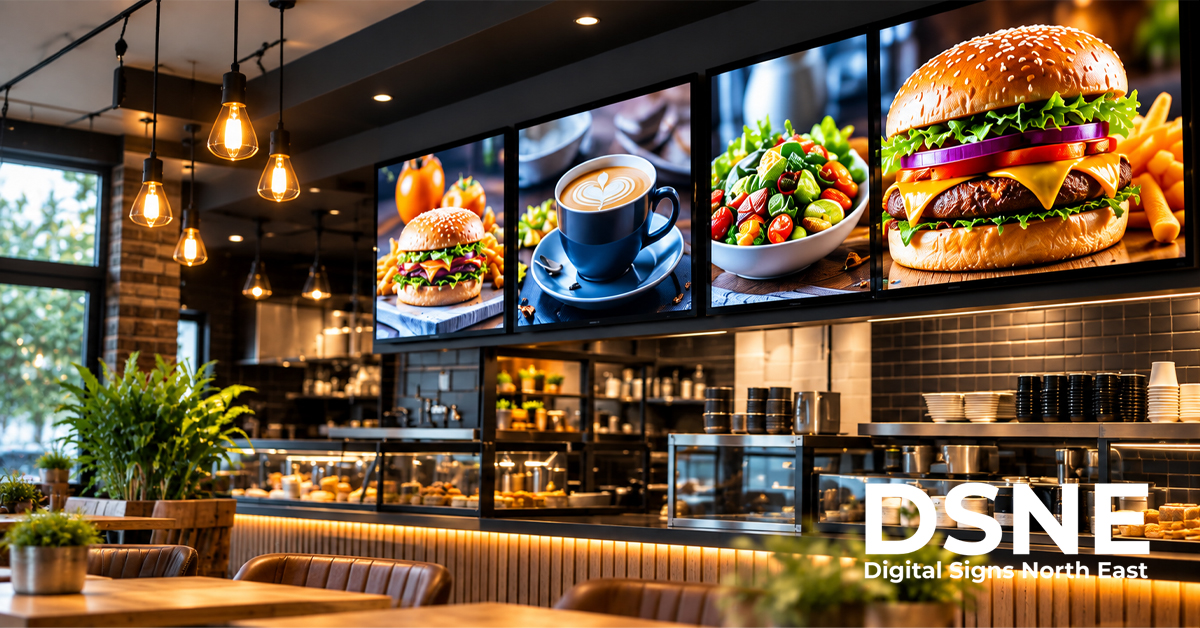
Digital signage content scheduling helps businesses show the right message at the right time, without expecting staff to change every screen manually. The aim is not constant animation or endless promotions; it is relevant, readable information that stays accurate throughout the day.
Start with what changes during the day
A café may need breakfast offers in the morning and a different menu later, while a reception screen might show visitor instructions during office hours and alternative contact details after closing. Identify which messages have a genuine time dependency before creating a complicated schedule. Content that remains useful all day can stay in a simple rotation.
Build a schedule around the audience
Think about who will be looking at the display at each point in the day. Commuters passing a shop window may have only a moment to read, while customers waiting at a counter have longer. Plan messages around viewing time, likely questions and the action you want someone to take. A screen should not display a promotion after the offer has ended.
Keep messages short and readable
Scheduling more content does not mean squeezing more information onto the screen. Use clear headlines, sensible contrast and readable type at the intended viewing distance. If the message needs several paragraphs to explain, consider a shorter on-screen prompt and direct viewers to a website or member of staff. Our digital signage accessibility guide explains how design decisions affect readability.
Allow for different screen locations
A window-facing screen and an indoor counter display often need different content, even in the same business. Window displays may focus on attention and opening information; indoor screens can support ordering, directions or waiting-room updates. Group screens by location and purpose so a schedule change does not accidentally replace useful information elsewhere.
Assign responsibility for updates
Choose who can approve content, who uploads it and who checks that it is displayed correctly. Set a review date for prices, opening times, seasonal promotions and temporary notices. A simple content calendar with an owner and expiry date can prevent out-of-date information from staying live long after it is relevant.
Plan for changes and interruptions
Consider what the screen should show if a scheduled item is missing, a network connection fails or a business closes unexpectedly. Some systems can keep previously downloaded content playing offline, but behaviour varies by equipment and software. Check the actual setup and keep a suitable evergreen message ready rather than relying on an untested fallback.
Test the schedule on the real display
Preview each layout at the screen’s actual orientation and resolution. Confirm start and end times, transitions, legibility and whether the right message appears on the correct screen. Remember to account for time-zone settings and seasonal clock changes when software or devices are managed remotely. Our content planning guide can help prioritise the messages that deserve screen space.
Review performance and simplify
Ask whether people can understand the key message, whether staff regularly need to correct information and whether screens are showing the right content at busy times. Use available evidence rather than assuming that more frequent changes produce better results. Remove low-value slides and improve the strongest messages before expanding the schedule.
Get advice on business display planning
A good schedule depends on suitable screens, sensible placement and a manageable way to update content. Digital Signs North East can discuss commercial display requirements and installation planning for your premises.
From our experience at Digital Signs North East
At Digital Signs North East, we provide commercial-grade LCD and LED digital signage for advertising and internal communications. The most effective content schedules start with the job each screen needs to do, whether that is a digital menu board, promotional display, touch screen, freestanding digital poster or another customer-facing installation.
We can discuss display type, placement and content requirements as part of the planning process, and we offer a free site survey so the proposed solution can be reviewed against the premises and how the screens will actually be used.
Content scheduling checklist
- Identify which messages need specific start and end times.
- Match content to the audience and screen location.
- Use clear, readable layouts.
- Assign an owner and expiry date to each promotion.
- Test time-zone settings and offline behaviour.
- Review schedules regularly and remove outdated slides.