

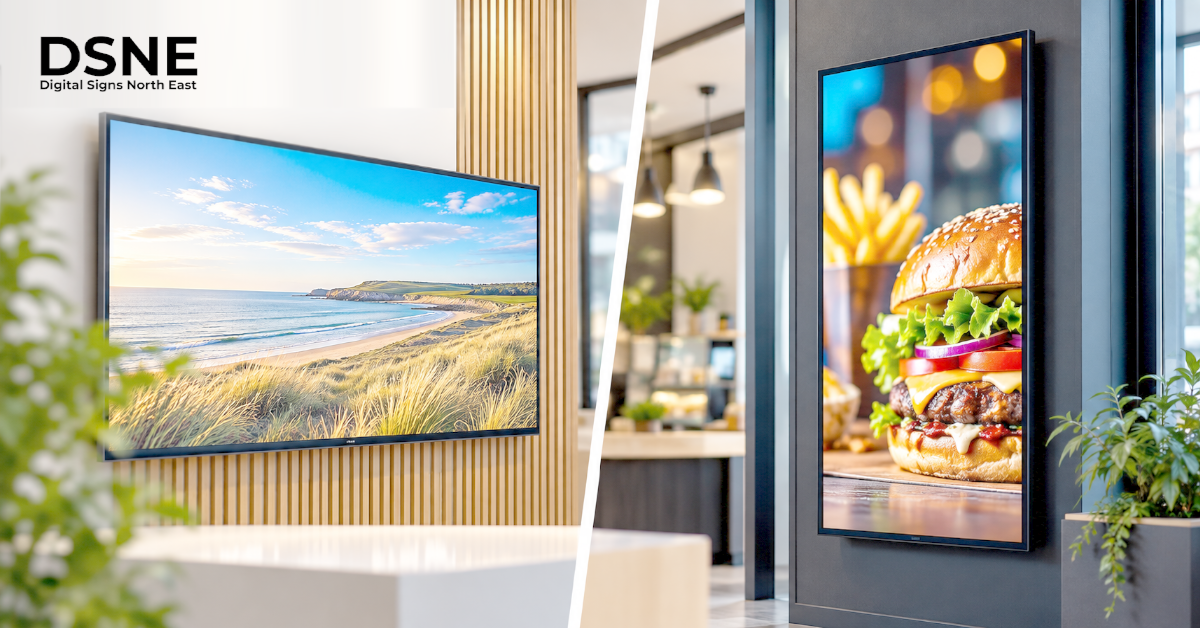
Choosing between landscape and portrait digital signage affects much more than appearance. The orientation determines how your message fits the screen, how easily customers read it and where the display can be installed.
Start with the message, not the screen shape
A screen should suit the information people need to see. Wide layouts are often comfortable for menus with several columns, presentations and panoramic video. Tall layouts can work well for posters, product promotions, directories and information intended for people standing close to a display.
The most useful question is not which orientation looks more modern. It is how quickly a customer or visitor can understand the message from their normal viewing position. Sketch the main content blocks before ordering hardware.
When landscape digital signage makes sense
Landscape screens are familiar in hospitality and corporate settings because they provide space for horizontal content. A takeaway may use several landscape displays above the counter to show categories, prices and meal images. A meeting room may use a wide display for schedules, video or presentations.
However, a wide screen does not automatically improve readability. If too many menu items are placed on one display, prices and descriptions may become difficult to read. Think about how far away people stand and how long they have to look.
When portrait digital signage is the better fit
Portrait screens can make effective use of narrow walls, pillars and shop windows. A tall display may be a good choice for a single promotion, a product photograph, a simple directory or a step-by-step instruction. It can also help where horizontal space is limited.
The content must be designed for the tall format. Simply rotating a landscape graphic often creates small text, awkward cropping or large empty areas. Portrait layouts need their own hierarchy and spacing.
Match orientation to viewing distance
People walking past a shop window may only glance at a screen for a few seconds. A bold image and short headline will generally be easier to absorb than a long list. Customers waiting to order may have more time, but they still need to find prices and categories without searching across several displays.
Our digital signage placement guide covers viewing position, obstructions and practical installation considerations. Orientation is only one part of getting the message seen.
Check the screen is designed for the chosen orientation
Not every commercial display is approved for portrait mounting or continuous operation in every position. Follow the manufacturer’s installation, ventilation and warranty guidance for the exact model. Check whether ports, cooling arrangements, mounting points and cable routes remain accessible when the panel is rotated.
If the screen is intended for a bright window, orientation also affects reflections and the surrounding space. Our screen brightness guide explains why lighting conditions matter before choosing a display.
Design content at the correct aspect ratio
A typical landscape design may use a 16:9 canvas, while a corresponding portrait design may use 9:16. Confirm the actual resolution and aspect ratio of your hardware and content system rather than assuming every display follows the same standard.
Images, video, icons and text should be composed for the screen they will appear on. Cropping the edges of a promotion may remove a price or a key product detail. Test the finished design at the intended resolution before scheduling it.
Plan multi-screen layouts carefully
A business may use landscape screens over a counter and portrait screens in the windows. These are different communication jobs, even when the branding is consistent. Decide which content belongs on each screen and whether displays should show independent messages or a coordinated sequence.
If several screens are installed in a row, align mounting heights and sight lines. Allow space for brackets, power, data connections and safe maintenance access. Keep a clear content map so staff know which layout belongs to which screen.
Keep information accessible
Readable type, contrast and sensible pacing matter in both orientations. A portrait screen with large graphics can still fail if essential information is too small or appears for too short a time. Avoid placing important content where it will be obscured by furniture, window frames or passing people.
Our digital signage accessibility guide covers ways to make screens easier for more people to use. Consider accessibility during layout design rather than after the displays are installed.
Schedule content for the right place and time
A screen in a shop window may promote offers during trading hours and show opening information at other times. A counter display might change between breakfast and lunch menus. Orientation should be part of the content plan so that the correct design appears on the correct screen.
See our digital signage scheduling guide for practical advice on time-based messages, expiry dates and keeping information current.
Choose a setup that will remain practical
Before installation, confirm the audience, orientation, mounting position, power, connectivity and how content will be updated. A sensible decision now can avoid unnecessary redesigns and awkward hardware changes later.
For help planning commercial displays in the North East, contact Digital Signs North East to discuss your premises, screen positions and intended content.
From our experience at Digital Signs North East
At Digital Signs North East, we work with commercial-grade LCD and LED display technology for customer-facing and internal communications. When planning a landscape or portrait installation, we look at the intended message, display position and how the screen will be used before recommending the most suitable setup.
Our range includes advertising displays, touch screens, freestanding digital posters, outdoor signage and digital menu boards. We also offer a free site survey so screen orientation, placement and content requirements can be considered in the actual environment before installation.
Screen orientation checklist
- Identify the audience and primary message.
- Choose landscape or portrait based on the available space.
- Confirm the exact screen supports the mounting orientation.
- Design artwork for the display’s actual aspect ratio.
- Test readability from the intended viewing position.
- Plan cabling, maintenance and content scheduling before installation.