

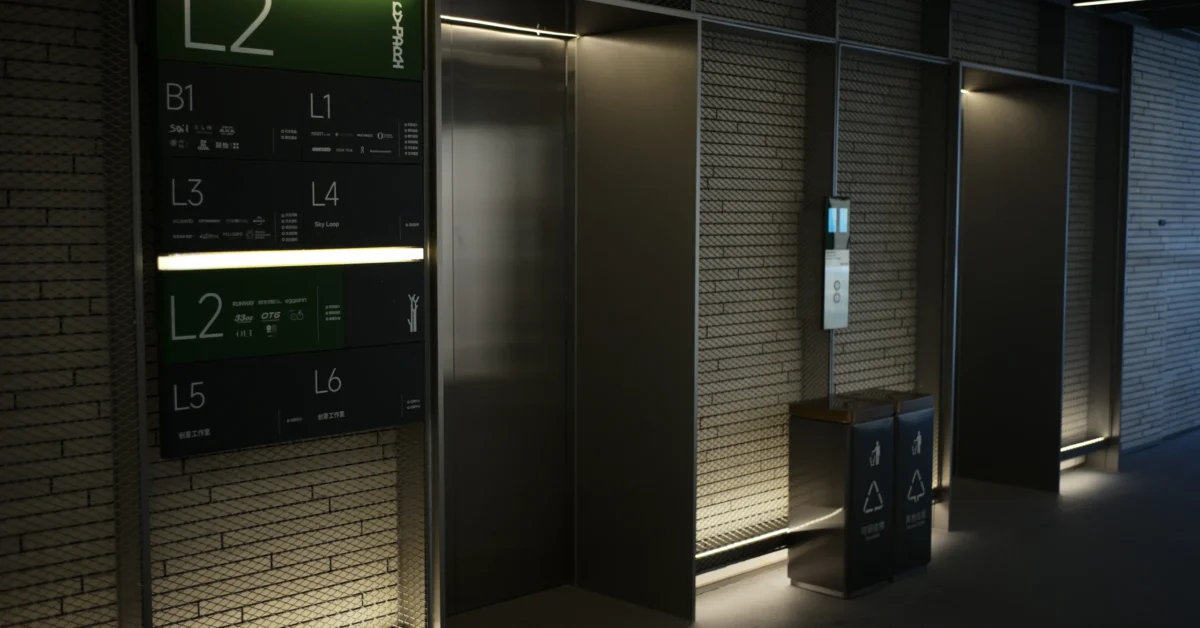
Digital wayfinding signage helps visitors understand where to go without relying on someone at reception to repeat the same directions all day. However, putting a screen in a lobby is only part of the job. The information, placement and update process all need to make sense to someone who has never visited the building before.
Whether you manage an office, leisure venue, healthcare setting or shared commercial space, start with the visitor journey rather than the screen specification.
Map the routes visitors actually take
Walk the building from each public entrance and note the places where someone must make a decision. That may be the main reception area, a lift lobby, a corridor junction or the entrance to a separate wing.
List the destinations visitors are most likely to need: reception, meeting rooms, toilets, accessible facilities, lifts, exits and public amenities. Avoid assuming that internal department names will mean anything to a first-time visitor.
- Identify entrances and the first point of orientation.
- Mark decision points where a direction changes.
- Separate public destinations from staff-only areas.
- Check routes to accessible entrances, lifts and facilities.
- Review whether temporary diversions need to be displayed.
Put digital wayfinding signage where it will be seen
A beautifully designed directory is not useful if people walk past it or must stop in a doorway to read it. Position screens where visitors naturally pause, with a clear view and enough space to read without obstructing circulation.
Consider viewing distance, glare, mounting height, surrounding lighting and whether a screen will compete with other visual information. Our digital signage screen placement guide covers these practical installation decisions.
Where routes are complex, one large directory may not be enough. A main screen can give an overview, while smaller signs at junctions confirm the next turn. Physical signs can still be useful alongside digital displays, particularly if a screen becomes unavailable.
Use simple language and consistent directions
People should understand a direction at a glance. Use plain destination names, clear arrows and a layout that makes the next action obvious. Keep the same terminology across every sign: switching between “Conference Suite”, “Meeting Area” and “Event Rooms” for the same destination creates unnecessary confusion.
Group information logically rather than filling the display with every possible destination. If a building has many rooms, organise the directory by floor, zone or the way people actually navigate.
Choose legible type, strong contrast and adequate spacing. Avoid relying on colour alone to distinguish routes. Our digital signage accessibility guide explains how to make essential information easier to use for more visitors.
Decide what should change and what should stay fixed
One benefit of digital wayfinding is the ability to update information when rooms change, events move or a temporary route is introduced. That flexibility is valuable only when someone is responsible for keeping the content accurate.
Decide who can approve changes, how quickly urgent information should be updated and what happens if the normal content manager is unavailable. A simple ownership process is more useful than a complex system nobody maintains.
- Keep permanent destinations stable unless the building layout changes.
- Give event information clear start and end times.
- Remove outdated notices promptly.
- Check every screen after a major directory update.
- Maintain an agreed fallback for screen or network problems.
Plan the display hardware and connectivity
Screen size, orientation and brightness should suit the location and viewing distance. A portrait display may suit a floor directory, while a landscape screen can work well for a wider map. The correct choice depends on the available wall space and how much information must be shown.
Before installation, check power, mounting structure, cable routes, network access and how maintenance will be carried out. For a practical starting point, read our digital signage connectivity guide and screen brightness guide.
If the system depends on a network connection, agree how updates and local playback behave during an outage. Do not assume that every display or content platform has the same offline capabilities.
Test directions with someone unfamiliar with the building
Before launch, ask a person who does not know the premises to find several destinations using the proposed signs. Watch where they hesitate or turn the wrong way. This reveals ambiguous labels, missing arrows and screens positioned after the decision point rather than before it.
Repeat the test after major layout changes. A directory that was clear when installed can become misleading if rooms are renamed or access routes change.
Plan a wayfinding system around your visitors
Effective digital wayfinding signage combines useful content with suitable commercial displays and thoughtful installation. Digital Signs North East works with businesses on digital signage and AV display solutions. The best starting point is a discussion about your building, visitor routes and the information people need to find.
Contact Digital Signs North East to discuss digital wayfinding signage, screen placement and a practical display plan for your premises.