
Hotels, guest houses and serviced accommodation providers have many messages to share: arrival information, breakfast times, meeting-room directions, local attractions and changes to facilities. Printed notices can quickly become inconsistent when details change. Well-planned digital signage gives staff a flexible way to present useful information at the point where guests need it.
The best hotel screens do not try to show everything at once. They answer common questions, reinforce the property’s identity and help visitors navigate unfamiliar spaces. Here are practical ideas for accommodation businesses in Newcastle, Northumberland and across the North East.
Start with the guest journey, not the screen catalogue
Walk through the property as a first-time visitor. Where might someone pause, look for directions or ask a receptionist for help? Typical touchpoints include the entrance, reception desk, lift lobby, breakfast area, corridor junctions and meeting spaces. Each location calls for a different message.
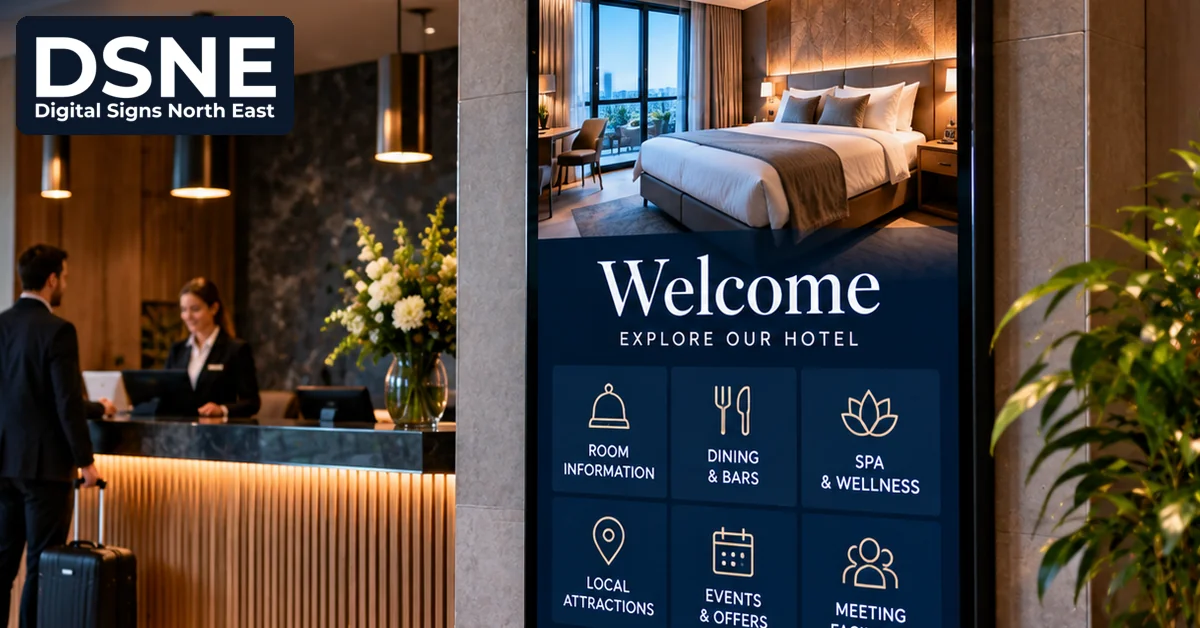
A reception screen might show welcome information and check-in guidance. A corridor display should prioritise simple directions, not a busy promotional slideshow. A breakfast-room screen needs accurate serving times and clear allergen signposting rather than decorative animations.
1. Make arrivals and check-in easier
Guests arriving after a long journey appreciate concise instructions. A reception display can communicate check-in and check-out times, luggage-storage arrangements, Wi-Fi access instructions where appropriate and a reminder of where to find assistance. If there are different arrival procedures for groups or events, use a dedicated screen zone or scheduled message.
Keep sensitive information off public screens. Never display individual guest names, room numbers, booking references or payment details without an appropriate privacy basis and safeguards. For most general-purpose screens, property-wide information is sufficient.
2. Show breakfast and dining information clearly
Restaurant and breakfast-area screens can display serving hours, daily specials and directions to dining areas. Avoid cramming an entire menu into a small display. Use readable text, good contrast and a sensible rotation speed so guests have time to absorb each message.
Food-allergen information must be managed carefully. A screen can signpost guests to the correct up-to-date allergen information and trained staff, but should not become an uncontrolled substitute for required food information. Businesses with cafés or restaurants may also find our guide to digital menu screens for restaurants useful.
3. Help guests find their way
Hotels often have similar-looking corridors, multiple floors or separate buildings. Digital wayfinding can direct visitors towards lifts, accessible routes, conference rooms, toilets, leisure facilities and exits. Use straightforward names and arrows that match the building’s actual signage.
Do not rely on digital screens for statutory safety signs or emergency instructions. Required physical signage and the property’s fire-safety arrangements must remain appropriate and available independently of screen power or connectivity. Our digital wayfinding planning guide covers layout and clarity in more detail.
4. Promote on-site facilities without overwhelming guests
A screen in the lobby can highlight spa appointment availability, restaurant offers, meeting facilities or upcoming events. Promotions work best when they are relevant to the location and time of day. A guest heading to breakfast may appreciate a notice about evening dining, while a delegate near the conference suite needs today’s room schedule.
Keep the most important practical message visible long enough. If every slide contains multiple offers, moving graphics and small print, guests may ignore the display altogether. Read our digital signage playlist planning guide for a simple approach to content rotation.
5. Share local visitor information
Accommodation providers can use screens to highlight nearby attractions, transport information, seasonal events and useful local services. Prioritise information that can be checked and maintained. A stale bus timetable or outdated opening hour is worse than a simple instruction to consult the operator’s official website.
Where external data is used, establish who owns the information and how often it is updated. Avoid implying that an attraction, service or event is operating without checking its current details.
6. Keep meeting and event spaces organised
Conference hotels can use displays outside meeting rooms to show event titles, session times and room allocations. Content should be coordinated with the event organiser and updated when schedules change. Consider whether private corporate event names or attendee details should be shown in public areas.
For multi-room venues, a central content-management process helps prevent conflicting signs. Our multi-location digital signage guide explains why consistent ownership and templates matter.
Choose screens for the environment
Screen size, orientation, brightness and viewing distance all affect readability. A compact display close to a reception queue has different needs from a screen viewed across a bright lobby. Consider glare from windows, mounting height, available power, cable routes and whether the equipment is rated for the expected operating hours.
Accessible design should be part of the initial plan. Use clear typography, sufficient contrast and restrained movement. Do not communicate essential information only through colour or sound. Our digital signage accessibility guide provides further considerations.
Plan who updates the information
Every screen should have an owner. Reception staff may maintain arrival notices, the restaurant team may update dining details and event staff may control conference schedules. Agree a review frequency, an approval process for promotions and a way to remove expired messages.
Also plan for connectivity interruptions. Some signage systems can continue playing locally stored content when the network drops, but the behaviour depends on the equipment and software. Make sure any offline message remains safe and accurate. See our guide to digital signage during network outages.
A practical first-screen checklist
- Identify one guest problem the screen will solve.
- Choose a position where guests can comfortably read it.
- Limit each message to essential information.
- Confirm privacy, accessibility and safety requirements.
- Assign a named person or team to maintain the content.
- Test the display in real lighting conditions before rollout.
Start with one or two high-value locations and review the questions guests still ask. A well-managed welcome screen or clear event-direction display can be more useful than a large network of poorly maintained screens. For North East accommodation businesses, the goal is simple: make each guest’s stay easier while keeping information accurate, legible and on brand.