
A digital reception screen can welcome visitors, provide directions and reduce repetitive enquiries, but only when the content is clear and the installation suits the space. This guide explains practical digital signage ideas for offices, clinics and other UK reception areas, with advice on placement, accessibility, updates and maintenance.
Start with the information visitors need
A reception display should help visitors understand where they are and what to do next. The most useful messages often include welcome information, directions, appointment instructions and relevant announcements. Decide which questions reception staff answer repeatedly and whether a screen could make those answers clearer. Avoid turning the display into a crowded noticeboard. A few carefully chosen messages will be easier to understand than a long sequence of unrelated promotional slides.
Choose a position that people naturally see
Reception areas often include doors, seating, desks and corridors that affect visibility. A screen should be positioned where visitors can read it without blocking the queue or turning away from the person helping them. Consider viewing distance, reflections and the height of the display. A screen mounted above eye level may work for short headings but be unsuitable for detailed instructions. Test the position with a realistic content layout before committing to brackets and cable routes.
Keep welcome messages concise
A welcome screen can reinforce a professional first impression, but visitors rarely have time to read a lengthy introduction. Use the organisation’s name, a clear greeting and only the information relevant to the immediate visit. Where appropriate, include a simple instruction such as checking in at reception. If multiple businesses share a building, make sure visitors can distinguish the correct destination. Do not display personal appointment details or other information that should remain private.
Use digital wayfinding carefully
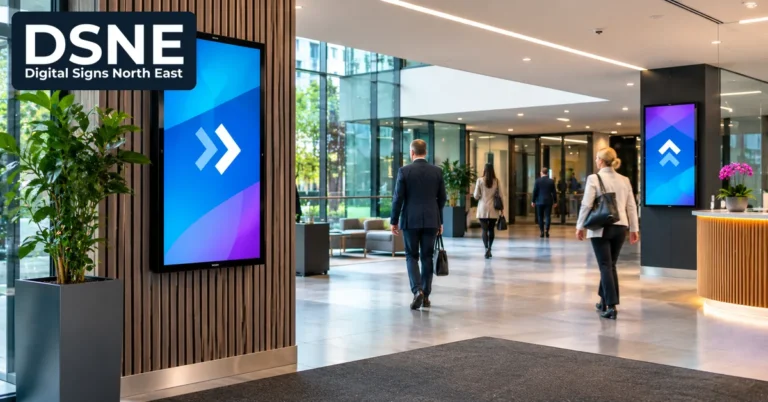
Wayfinding messages can help people locate meeting rooms, departments and facilities. Use consistent names and straightforward directions rather than internal abbreviations. Where a screen displays a map, make sure it remains legible at the expected viewing distance. Avoid relying on animated arrows that disappear before someone has understood them. Essential directions should also be available through accessible signs or staff assistance. Digital signage should support the wider wayfinding system, not replace every other source of information.
Plan brightness for the actual environment
Reception areas with large windows can be challenging because daylight and reflections change throughout the day. A display that looks clear during installation may be difficult to read in bright afternoon sunlight. Assess the location at relevant times and consider whether brightness can be adjusted. Avoid creating glare for people seated nearby. A professional site survey can help determine whether a standard commercial indoor screen is appropriate. Our installation planning checklist covers brightness, positioning and connectivity in more detail.
Create an achievable content schedule
A reception screen can show opening information, service updates, upcoming events and useful reminders. The challenge is keeping it accurate. Decide who will approve content and how often it needs reviewing. A scheduled campaign should stop automatically when it expires. If the building hosts several organisations, clarify which team controls the shared screen. Simple templates can keep messages consistent while allowing quick updates. Staff should know how to remove an incorrect notice without waiting for a designer.
Consider accessibility from the beginning
Use readable type, good contrast and plain language. Avoid flashing effects and overly rapid slide transitions. Important information should not depend on colour alone. Visitors may have visual, hearing or cognitive accessibility needs, so provide alternative ways to obtain essential instructions. A screen that cycles through messages should leave each one visible long enough to read. If video content includes speech, captions may be appropriate. Accessibility is part of making the reception experience useful for everyone.
Keep cables and equipment out of the way
A tidy reception installation needs secure mounting, appropriate power provision and protected cable routes. Avoid visible trailing leads in areas where people walk or queue. Plan network connectivity before selecting the mounting location, particularly if content is managed remotely. Leave enough access for safe servicing and replacement. Where electrical alterations are needed, use a competent professional. Consider whether the screen should remain on outside office hours and how it will be switched or scheduled.
Review privacy and information security
Reception displays may be visible to visitors, delivery drivers and people passing through. Do not show confidential documents, personal visitor details or internal operational information that is not intended for public viewing. If the display connects to a content-management platform, use appropriate account permissions and keep software updated. Staff should understand which material can be published. A shared screen should never be treated as a private office monitor simply because it is located inside the building.
Maintain the display and measure its usefulness
Schedule regular checks for screen condition, software updates and expired content. Ask reception staff whether visitors still struggle with directions or repeat the same questions. That feedback can identify messages that need improving. Our digital signage maintenance checklist provides practical ongoing checks. A good reception display is one that stays accurate, readable and helpful over time, not simply one that looks impressive on installation day.