
Digital menu boards can make ordering easier in cafés and coffee shops, provided customers can quickly find the information they need. This practical guide covers layout, readability, scheduling and day-to-day content management for UK hospitality businesses.
Start with the customer journey
A café digital menu board should answer the questions customers have while they are deciding what to order. They want to see the available food and drinks, understand prices and spot any choices that suit their needs. Before designing slides, stand where a new customer would stand. Can they see the display while queuing? Is the till or collection point obvious? A clear journey matters more than squeezing every product onto one screen.
Separate the permanent menu from changing promotions
Keep core drinks and regularly available food easy to find. Use a separate area or scheduled slide for seasonal specials, lunchtime offers and new products. Customers should not have to wait through a long animation to find the price of an ordinary coffee. If a promotion has conditions, make them clear and avoid presenting a price that does not apply to the item shown. Review offers whenever the menu changes.
Choose readable typography and contrast
A beautiful photograph cannot rescue tiny text. Use large, straightforward type and enough contrast between lettering and the background. View the finished design from the furthest normal ordering position, not just from a laptop. Avoid placing prices over busy images or using pale lettering on bright backgrounds. Short product names and simple groupings make scanning easier, particularly during busy morning and lunchtime periods.
Use food photography carefully
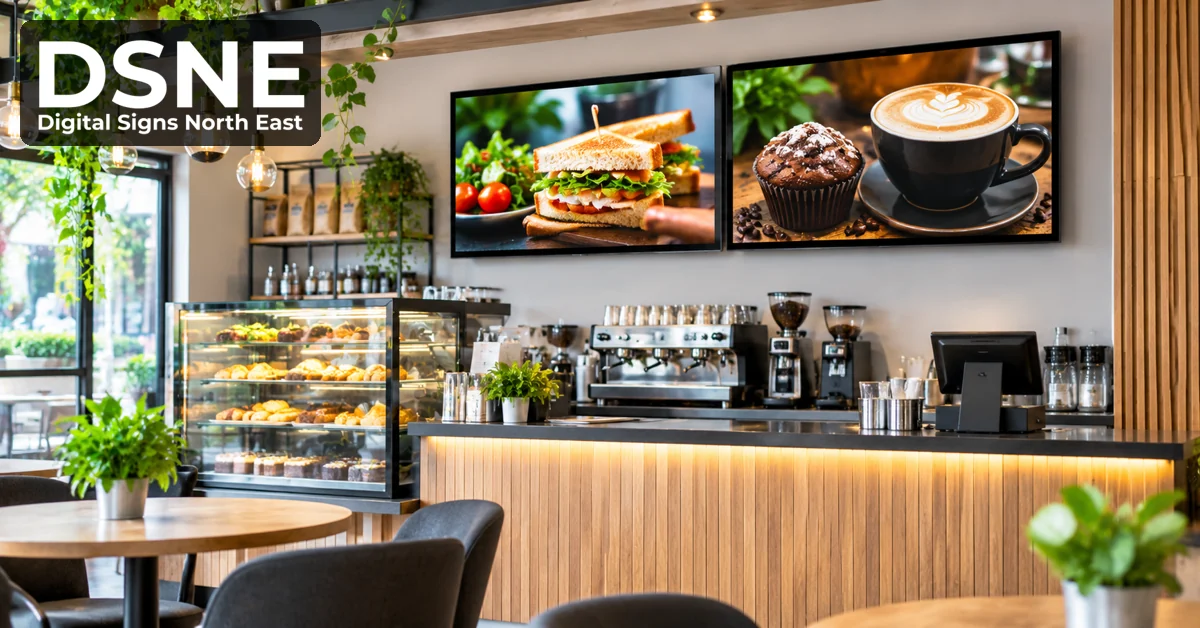
Good photographs can make signature items appealing, but images should represent what the café actually sells. Choose a few strong, consistent photographs rather than displaying a collage of everything on the menu. Keep crops and lighting similar across screens. A sandwich shown beside a drink should not imply a meal deal unless that offer exists. Refresh photographs when recipes, presentation or portion sizes change.
Plan screen layout around the counter
The ideal position depends on the room, ceiling height and where people queue. Screens above the counter are common, but reflections, pendant lights and shelving can interfere with readability. A portrait screen may suit a narrow area, while a pair of landscape screens can separate drinks from food. Check viewing angles and whether the display blocks staff sightlines. Confirm mounting, cable access and ventilation before installation.
Make prices and product information accurate
Digital signage can be updated quickly, which is useful when suppliers or seasonal menus change. That advantage depends on having a reliable process. Assign responsibility for reviewing prices and availability before new content goes live. Avoid leaving sold-out products prominently displayed. For allergen information, provide a clear route for customers to obtain accurate details and ensure staff follow the business’s food-information procedures; a rotating screen is not a substitute for legally required information.
Schedule content to match trading hours
Breakfast customers may want coffee, pastries and takeaway options, while lunchtime visitors are looking for sandwiches and meal choices. Scheduling different content for different periods can make the menu more relevant. Keep the schedule aligned with actual kitchen and service hours. If a product is unavailable after a particular time, remove it from the appropriate screen sequence. Test what appears when the player restarts or the network drops.
Avoid overcomplicated animation
Subtle movement can draw attention to a special, but constant transitions make a menu difficult to read. Customers need time to compare options, particularly when ordering for a group. Keep essential items visible long enough to understand. If several slides are necessary, use a predictable order and avoid hiding the most popular products. Motion should support the message, not compete with it.
Consider accessibility in a busy café
People read menus from different distances and heights, and some customers have reduced vision. Clear type, good contrast and logical grouping help everyone. Do not rely on colour alone to distinguish categories or offers. Keep key information available through another accessible method when needed. Ensure screens, brackets and cables do not obstruct routes, counters or safety signage. Staff should be able to explain options without relying solely on the display.
Choose dependable hardware and content management
A commercial display and suitable media player may offer practical advantages for businesses operating long hours. Discuss the expected daily operating schedule, ambient light, orientation, connectivity and support requirements before selecting equipment. Decide whether content updates will be made locally or through a managed platform. Document who has access, how changes are approved and what staff should do if a screen becomes blank.
Test and improve after installation
Run through a normal customer order while looking at the screens. Can someone find a cappuccino price quickly? Are food categories obvious? Do promotions display at the correct time? Check readability in morning daylight and under evening lighting. Ask staff which questions customers still ask repeatedly; those questions reveal gaps in the menu design. Regular small improvements often make the display more useful than a complete redesign.
Build on a practical signage plan
For broader planning, see our digital menu board design guide and installation checklist. Our screen glare and brightness guide explains why positioning matters. Digital Signs North East helps businesses think through the relationship between hardware, content and the space in which customers will view it. A useful café menu board is clear, accurate and easy to maintain.